Most website problems don’t announce themselves. A certificate quietly approaches expiry. A page starts returning a broken link. An email authentication record gets rotated and nobody updates the matching entry. A meta description disappears during an unrelated edit and rankings slip for reasons nobody can quite trace. Nothing looks wrong until an email lands in spam, a visitor hits a dead link, or someone else gets control of part of the domain.
We built a tool to solve that problem for ourselves. Here’s what it actually watches, what it caught in its first week, and what it means for how we build and maintain your website.

The Problem Most Website Owners Never See Coming
A live website isn’t a set-and-forget asset. Behind the scenes, it’s held together by dozens of moving pieces: DNS records that point traffic to the right place, an SSL certificate that keeps the connection encrypted, email authentication records that stop your business emails from being flagged as spam, links that need to keep pointing somewhere real, and search engine settings that need to stay intact after every edit.
Any of these can quietly change. Certificates expire on a schedule nobody’s watching. Links rot as other sites restructure. Records get edited during an unrelated update and never get changed back. Most owners find out something’s wrong only after it’s already cost them, a client email that never arrived, a visitor who hit a dead page and left, or a domain issue that’s much harder to undo after the fact.
There are tools that watch pieces of this picture. Uptime monitors check if a server is responding. Some services track DNS history. Others check for broken links or basic SEO issues. Almost none of them pull security, performance, SEO, and visual changes into one place with a proper history of what changed and when. So we built one.
What kant.au Actually Watches For
kant.au is a website monitoring platform we built and use ourselves. It checks five broad areas on a schedule and sends an alert the moment something changes.
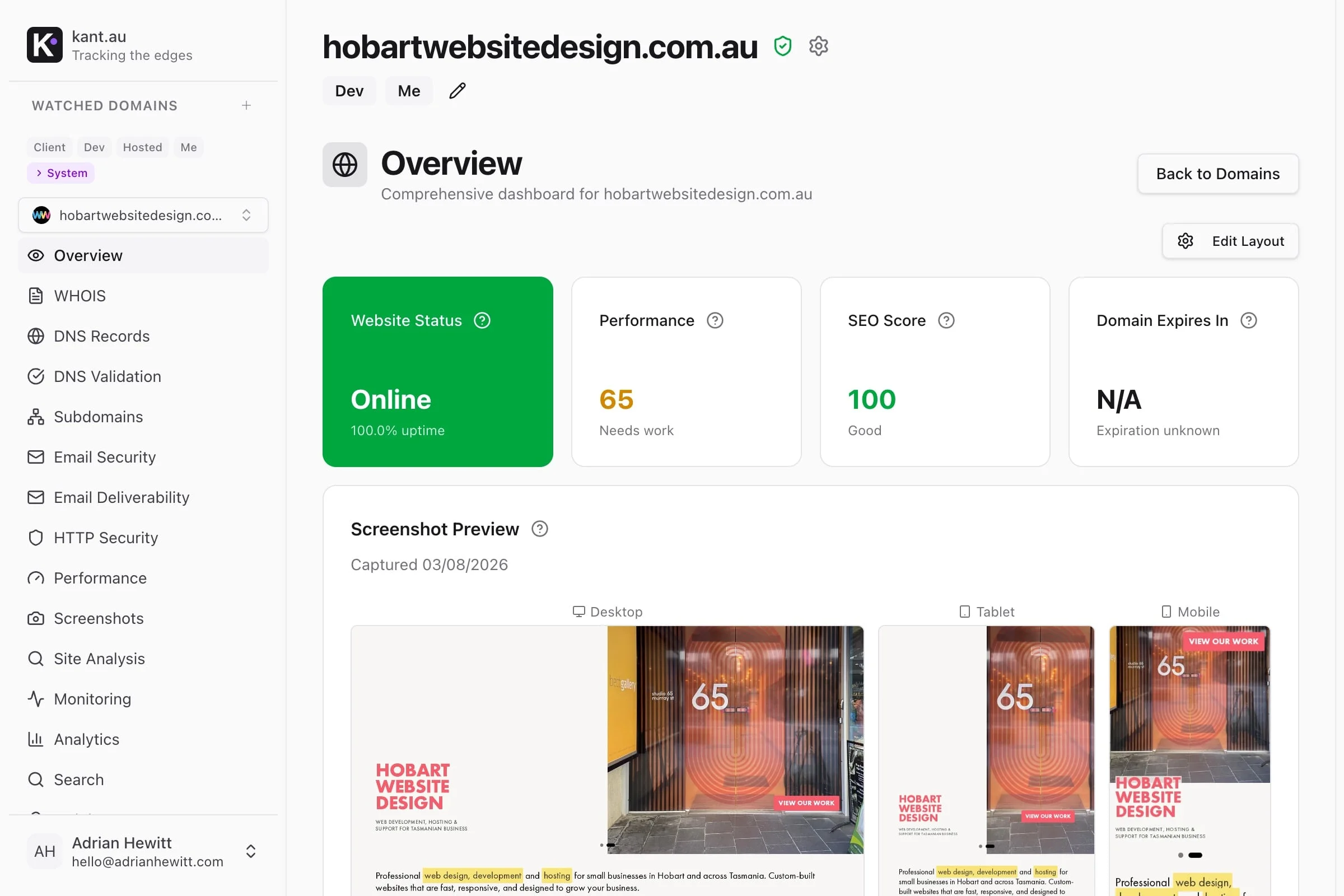
- Security and domain health. DNS records, SSL certificate status, and whether your domain shows up on any spam or malware blocklists, the kind of thing you want to know about before your customers do. It also watches for subdomain takeover risk: an old, unused subdomain that’s still technically pointed at a service you no longer use can sometimes be claimed by someone else and used to serve their content under your name.
- Uptime and performance. Scheduled checks from multiple locations confirm your site is actually loading, and how fast, not just that the server responds.
- SEO and content health. Broken links, missing or duplicated page titles and meta descriptions, and structured data errors, the technical details that quietly cost you rankings without ever looking like an obvious problem.
- Site analysis and accessibility. kant.au crawls the site itself, checking for basic accessibility issues, scoring how readable your content actually is, and confirming search engines can actually find and read everything they’re supposed to. This is the same ground covered in our WCAG accessibility guide, except checked automatically rather than manually.
- Visual change tracking. Screenshots at desktop, tablet, and mobile sizes, so you can see exactly what a page looked like before something changed, not just that it did.
- Analytics in one place. Your existing Google Analytics, Google Search Console, and Bing Webmaster Tools data, pulled through your own login rather than a new tracker, so you’re not juggling three separate dashboards to see how the site is actually performing.
A handful of these go further than most tools bother to. Checking domain reputation against blocklists, watching for subdomain takeover risk, and comparing DNS answers from different servers to catch inconsistencies most monitoring tools miss, because they only check the easy path, aren’t roadmap items. They’re running today.
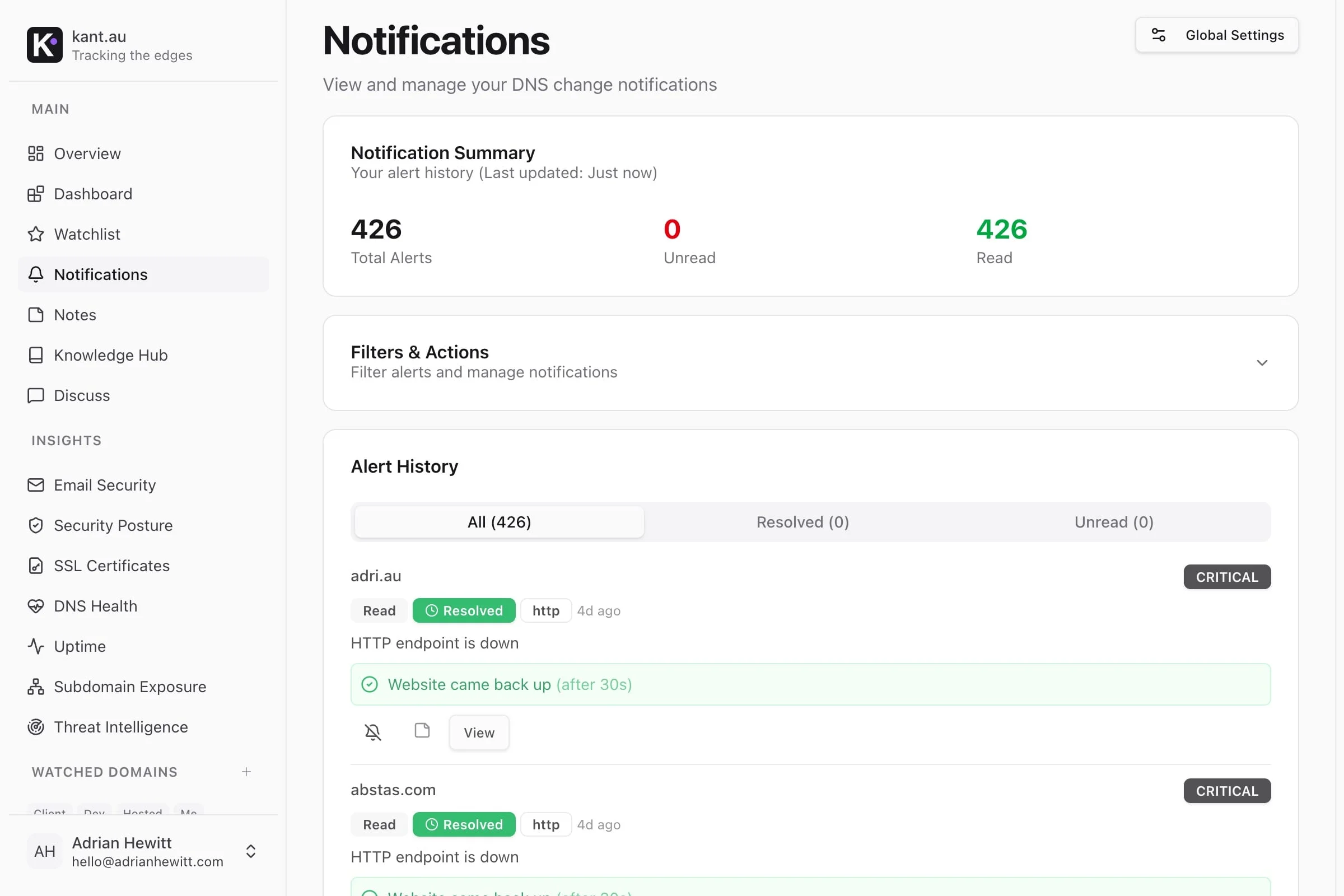
Alerts go out over email, Slack, Discord, or a webhook the moment something changes, so you find out the same day, not weeks later.
What It Caught Before Anyone Else Did
It found a real problem in our own infrastructure before it caused one. We ran the email authentication checker against our own domains while we were still building it. It flagged a rotated DKIM key, a security setting that had been updated on one side but never copied over to DNS on the other. Left alone, that’s the kind of thing that shows up weeks later as “why is this email going to spam,” with no obvious cause and no easy way to trace it back.
Finding it on our own infrastructure before it caused a problem was the best proof the tool worked that we could have asked for.
Do I Need to Worry About This for My Own Website?
If someone else manages your hosting and domain, probably not day to day, that’s part of what you’re paying for. But it’s worth knowing what “good” looks like, because not every provider actually monitors this.
A few things worth checking right now, even without any special tools:
- Check your SSL certificate expiry. Most browsers show this if you click the padlock icon next to the address bar.
- Search “your domain + DMARC record checker.” A handful of free online tools will tell you in seconds whether your email authentication is set up properly.
- Run your homepage through a free broken-link checker. It’s a five-minute task that catches a surprisingly common problem.
- Ask whoever manages your website directly: who’s watching this, and how would you find out if something changed? If the honest answer is “we’d probably notice when something breaks,” that’s worth addressing.
How This Changes the Way We Build Your Site
We built kant.au because we wanted to actually know, not assume, that the sites we’re responsible for are secure, fast, and working the way they’re supposed to. That standard doesn’t stay inside our own tool. It’s the same thinking behind how we set up hosting, SSL, email authentication, and basic SEO hygiene on every site we build and maintain, whether that’s a marketing site for a local business or something with logins, bookings, or customer data attached.
For the Technically Curious
Everything above is what matters if you’re deciding whether to trust a website with your business. If you want to know what’s actually running under the hood, here’s the detail.
kant.au runs on Next.js and React on the frontend, with a Go API and collector service on the backend. DNS data is stored in TimescaleDB, a time-series extension of PostgreSQL, with Redis handling caching and rate limiting. Every internal request passes through two independent authentication layers, and sensitive data like credentials, OAuth tokens, and webhook URLs is encrypted at rest, not just in transit. It’s deployed as containerised services with separate staging and production environments, shipped through GitHub Actions.
Beyond the headline checks, DNS validation compares authoritative versus recursive resolver answers to flag mismatches, DNSSEC analysis checks key and signature validity, and nameserver and ASN/IP ownership are tracked over time. On the HTTP side, MDN’s documentation covers what security headers actually do; kant.au flags duplicate or conflicting headers, not just missing ones. Screenshot capture uses perceptual-hash deduplication, so it only stores a new image when a page has visibly changed, and content checks include structured data validation, basic accessibility checks, and Flesch-Kincaid readability scoring. Tech stack detection runs on Wappalyzer.
The architecture keeps each user’s account data isolated from the shared time-series store of domain data, a deliberate split made from day one rather than added later. It’s also worth noting HTTPS itself carries weight beyond security: Google has confirmed it as a ranking signal since 2014, on top of the trust it builds with visitors.
Where It Stands
kant.au is live in production, running real checks against real domains every day, including our own.
If your website handles anything worth protecting, a contact form, customer logins, or just your business’s reputation in someone’s inbox, it’s worth knowing whether anyone’s actually watching for the moment something quietly changes. Happy to talk through what that looks like for your site.